Appliv is new site that advocate and review carefully selected best mobile apps that are differentiated from similar ones and offer great user experience. I am glad they picked Karhulabs apps into their portfolio. Read the reviews here:
Showing posts with label drawing. Show all posts
Showing posts with label drawing. Show all posts
Thursday, November 3, 2016

Tuesday, August 30, 2016
The Startup Pitch
Meet Artist's Eye in The Startup Pitch site. There is a new introduction about the application: What does it do? Why do we need it? Who is it for?
Exciting, Ha?
Exciting, Ha?
Thursday, May 19, 2016
Artist's Eye 1.11
Update released today fixes panning issue in magnifier mode. Thanks for the active users who reported this issue.
Thursday, March 24, 2016
Drawing a rose
Yet another introduction video to Artist's Eye drawing and painting aid application for Android. This time we are drawing a rose. See how it helps you to draw like a master.
Get app for free from Google Play
Saturday, March 19, 2016
Pinch me
Artist's Eye users had requested possibility to scale model picture smaller also. Scaling to larger was possible already.
So version 1.10 - released today - adds this feature and also model picture panning improvements. Resetting size and position is available via menu now.
This awarded drawing aid application is available for Android devices from Google Play.
Saturday, February 27, 2016
Artist's Eye new video
New promotion video of Artist's Eye drawing aid app was published today. Video was made by cmeeks. Thanks,
Sunday, January 3, 2016
Perspective Taking
Artist's Eye app users are suggesting new features time to time. One feature requested by many was ability to skew image for perspective correction in case phone/tablet is not in right angle towards paper.
Version 1.9 released today finally have this ability. Here is list of all changes:
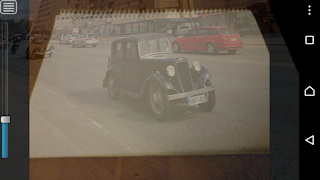
- Skew for perspective fix when camera is not in right angle.
- Posterize and Flatten palette filters.
- On screen Menu button was added (as some new Android devices don't have menu button).

Tuesday, July 21, 2015
Best Art App - Second Place
The 7th annual Best App Ever Awards announced the Android winners.
Artist's Eye drawing aid app got second place award in the Best Art App category.
Thank you so much for all the users for support. Recognition like this surely motivates to continue this little app development hobby of mine.
See Best Art App award page.
Friday, May 29, 2015
Vote for Best Art App
Artist's Eye is nominee in the Best Art App category in 7th Best App Ever Awards competition. If you like the app please support by voting here www.bestappever.com.
p.s. If you, for some reason, don't yet have the app you can install it free from here.
Thursday, March 5, 2015
Listening end users
Artist's Eye version 1.8 - released today - adds many new features requested by the user community: auto focus of camera, grid lines in drawing view, using flash light torch to light the drawing, etc.
Thanks for the active users for valuable feedback and improvement ideas. Please, keep sending them. Get the app for free from Google Play.
Saturday, February 14, 2015
Artist's Eye : new way to choose image file
Artist's Eye 1.7 - released today - adds a new way to choose model image. Many users had reported issues with image selection. Now it uses external Android's content selector that allows user to choose file not only from local Gallery but also directly from Google Drive, Picasa and other sources. Original image grid is still available for those user's who find it more comfortable. Also couple of bugs were fixed in this release.
Get app for free from Google Play.
Thursday, June 21, 2012
Artist's Eye application
Unleash your creativity with Artist's Eye drawing aid application. Artist's Eye is utility that helps you to draw or paint with real pen or pencil to paper or canvas. It can be applied in any kind of visual arts including drawing, painting and wood engraving.
Choose model picture (e.g. photo) and while you draw watch your drawing through the phone or tablet (that need to have camera). Model will be shown semi-transparent on the top of your ongoing drawing helping you to outline the contours. It is best if you can attach phone to some kind of support stand so that it stays still and both hands are free. This is not cheating but a new way of working and learning as well.
Free trial version for Android phones and tablets is available from Google Play.

Drawing
Wood engraving
Subscribe to:
Posts (Atom)